

Admin Portal Overview
What is the Admin Portal?
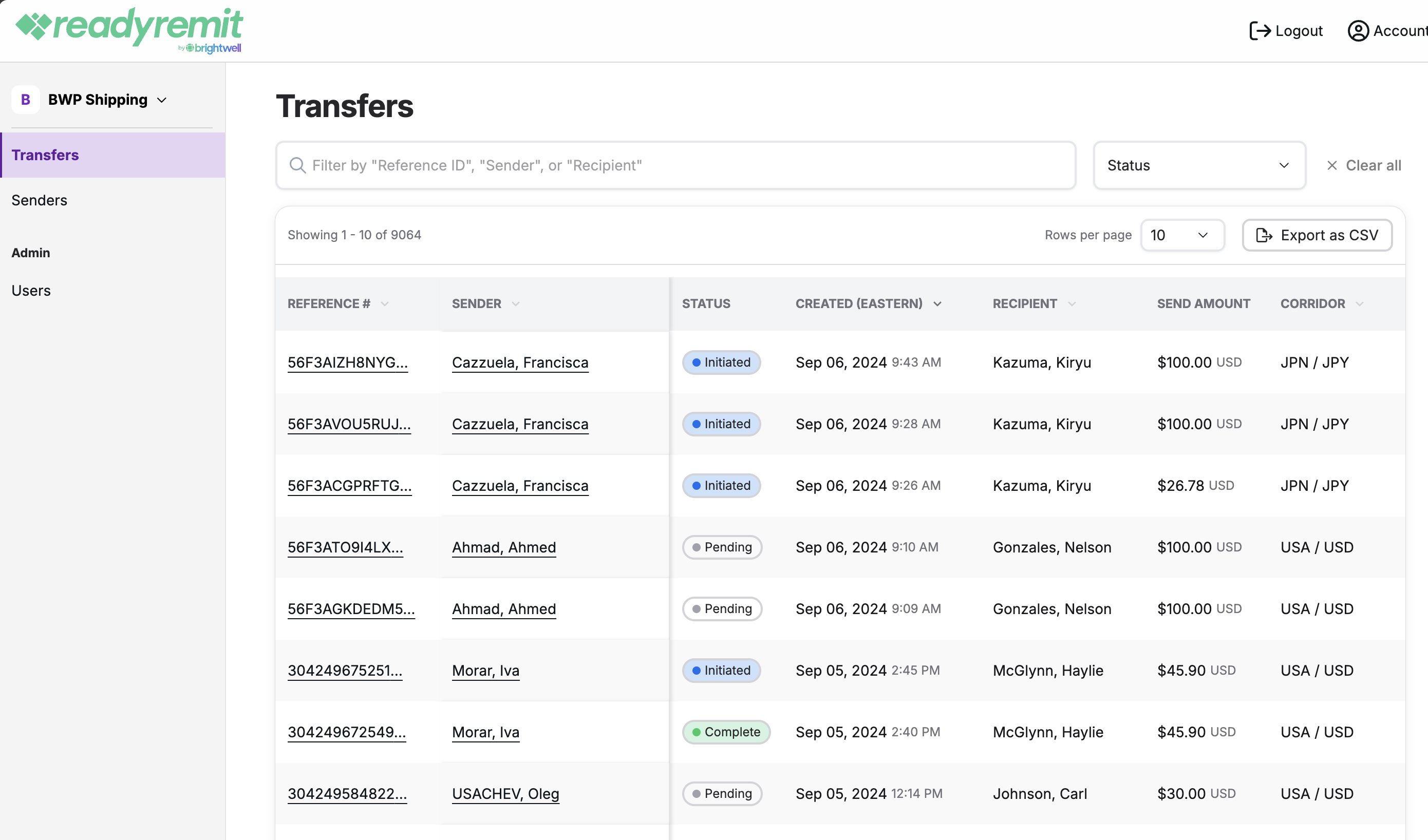
The PayMitto Admin Portal is an intuitive, web-based platform that gives your internal support teams direct visibility into the cross-border remittance transfers processed through PayMitto. Rather than routing every customer inquiry through PayMitto, your team can independently look up transfer statuses, review sender profiles, and manage portal access, reducing response times and improving customer satisfaction.
Portal URL: portal.paymitto.com
This guide covers what is available in the portal and how to find it. For how to create tickets, choose Ticket Types (including Dispute / Regulation E Subpart B), and respond to RFIs, see Support Ticket Management.
NOTE: There is a web-app (no separate mobile app) and each organization will only see its own transfer infromation.
What the portal enables
- Real-time visibility into transfer statuses across your entire customer base
- Searching, filtering, and exporting transfer data
- Viewing full sender profiles and their complete transfer history
- Managing portal user accounts and roles (Admin, Finance, and Viewer)
- Auditing portal activity via the Activity log
- Accessing the ReadyRemit developer documentation via the Resource Center
Portal navigation
The portal uses a consistent left-side navigation menu. The top bar allows access to account settings and logout. At the bottom of the left panel, the Resource Center links to ReadyRemit developer documentation.
The left navigation contains:
- Transfers — view and search all transfers
- Senders — view and search all senders
- Support Tickets (Admins and Support only) — view and search all tickets
- Change History (Admins only) — Users and Activity Log
- Resource Center — links to developer documentation
Updated about 1 month ago