

Support Ticket Management
The Admin Portal lets your support team create and manage PayMitto support tickets in one place, including transfer-linked requests, requests for information (RFIs) from PayMitto, and formal Dispute (Regulation E Subpart B) cases where applicable.
Support Ticket Listing Page
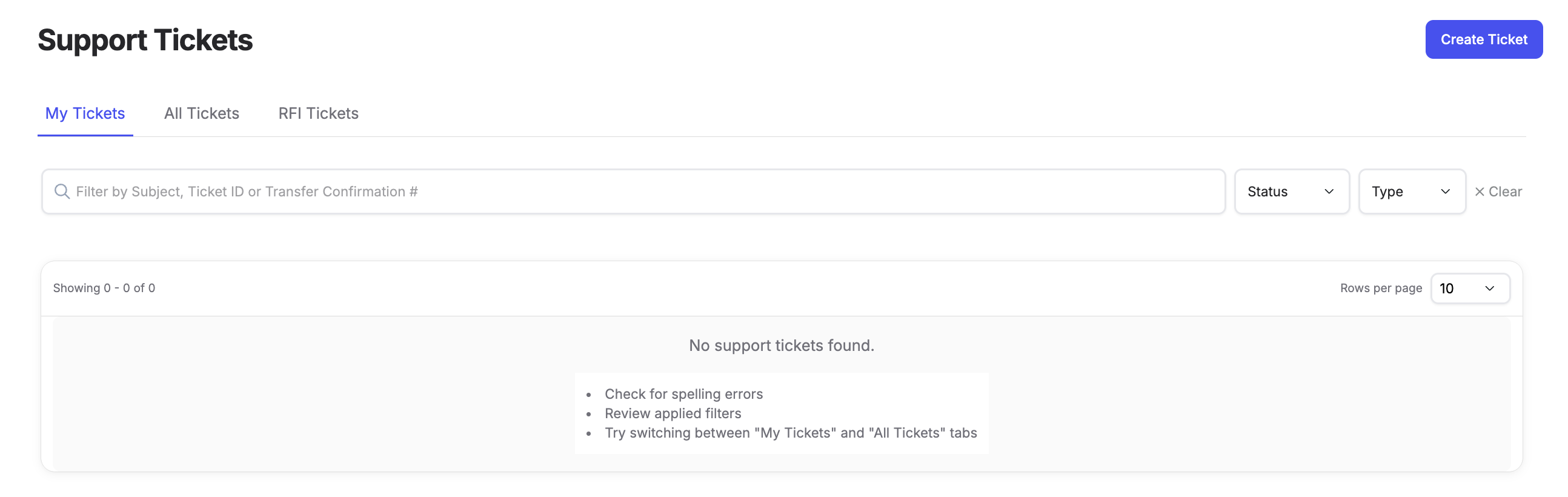
On the support tickets listing page, authorized users can:
- View all tickets
- View tickets assigned to the person currently logged in
- View the RFI tab (requests for information opened by PayMitto that need your reply)
Tickets can be filtered by:
- Subject, Ticket ID, or Transfer Confirmation #
- Status
- Ticket Type
A new-activity indicator highlights tickets with a new comment or status change since they were last viewed.
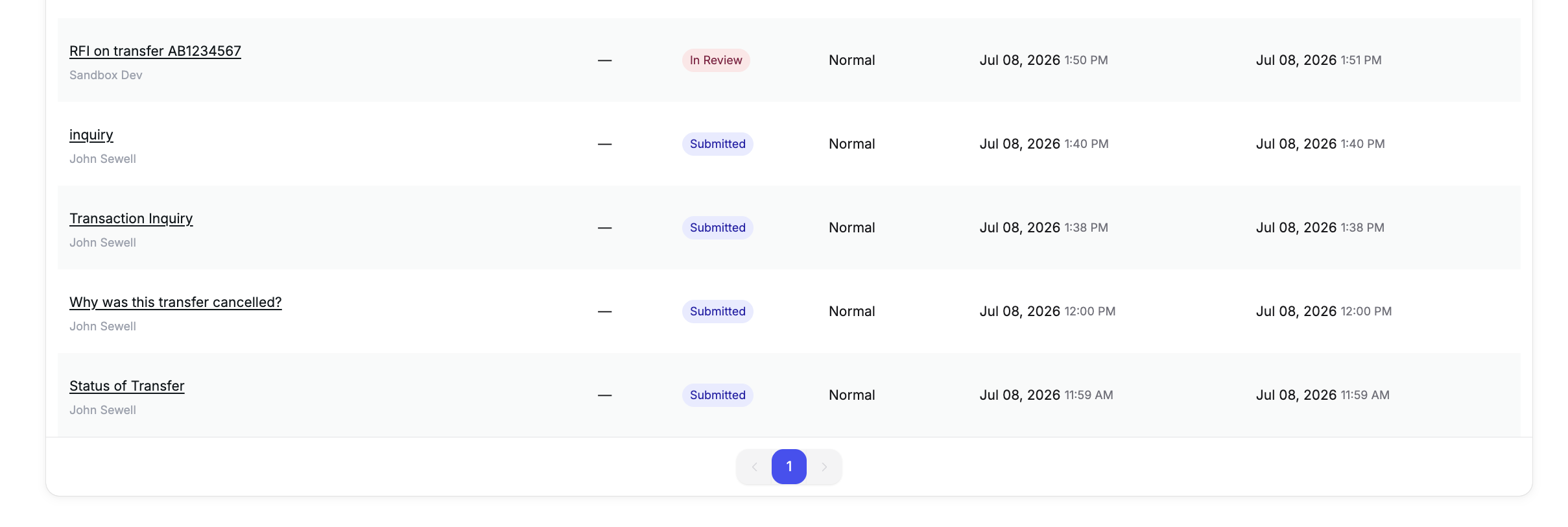
Ticket Types
Choose the Ticket Type that matches the ask. Link the ticket to the correct PayMitto transfer confirmation number whenever the issue is about a transfer.
| Ticket Type | Use when | Do not use when |
|---|---|---|
| Transaction Request | Status, timing, proof of deposit or proof of posting, or other ordinary research on a transfer | Formal Regulation E Subpart B error claim; cancellation; non-transfer general help |
| Cancellation Request | The client wants the transfer cancelled or funds returned on the cancel path | Formal Subpart B Dispute; ordinary status or proof asks |
| Dispute | Formal Regulation E Subpart B error claim on an eligible PayMitto international remittance (see Dispute below) | Ordinary status or proof asks; Latitude / B2C; chargeback or network recall; cancellation |
| General Inquiry | Support that is not tied to a specific transfer | Anything that should be linked to a transfer (use a transfer-tied type above) |
Dispute (Regulation E Subpart B)
Dispute means a formal notice of error under Regulation E Subpart B for an eligible PayMitto international remittance. PayMitto investigates under Subpart B on behalf of the sponsor bank (remittance transfer provider).
Use Dispute when all of the following apply:
- PayMitto international remittance
- The account holder or client is asserting a covered error (for example wrong amount received, funds not available when they should have been, or other covered remittance error)
- You intend the formal Subpart B investigation path
Do not use Dispute when:
- The product is Latitude / B2C (never Subpart B via this door — use Transaction Request)
- The ask is ordinary status, timing, or proof of deposit / proof of posting (use Transaction Request)
- The ask is cancellation (use Cancellation Request)
- The path is chargeback or network recall (not Dispute)
- PayMitto domestic (Subpart A is client-owned; do not train as Subpart B Dispute)
Always link the correct PayMitto transfer confirmation number. Do not paste partner or SDK system log IDs into Confirmation #.
Note: Consumer receipt language about a “right to dispute errors” is disclosure copy on receipts. It is not the same as selecting the portal Ticket Type Dispute.
View Support Ticket Details
Clicking into a ticket allows authorized users to see all related details for that support request and send messages related to that ticket so that all conversation is in one place.
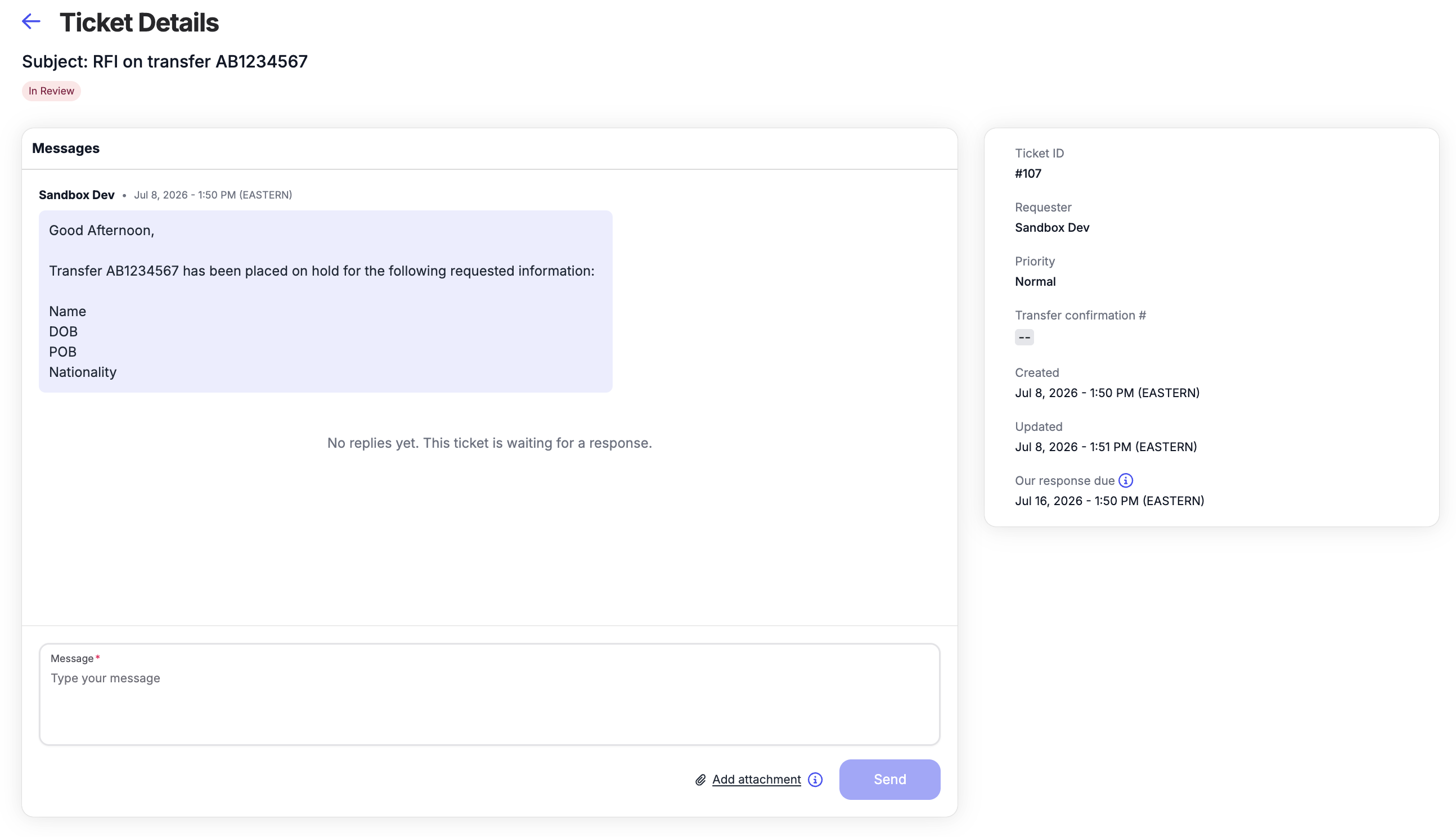
Responding to RFIs
A request for information (RFI) is opened by PayMitto when we need information or a decision from your team to move a transfer or case forward. It is not the same as you creating a Transaction Request.
When status is Awaiting Your Response:
- Open the ticket from the RFI tab or listing.
- Read the latest PayMitto message (what is asked, which transfer, any deadline).
- Reply in the same ticket thread (portal comments). Keep the conversation on the ticket.
- Attach only what was asked (PDF, PNG, JPG; 5MB per file, 10MB total). Prefer the PayMitto confirmation number.
- After you reply, the ticket returns to PayMitto for action (the ticket reopens when a reply is received).
If you cannot meet the ask yet, reply with what is missing and when you can provide it. Do not leave Awaiting Your Response unanswered.
What we usually ask
An RFI often asks for receiver details (for example date of birth, address, or nationality). PayMitto collects that information through your team and the Account Holder. Frame the ask as receiver information, not as "Account Holder information."
When the request names a party, the ticket message prefixes Sender or Receiver (for example "Receiver details: Complete Name, Date of Birth, Place of Birth"). Provide only what the ticket lists. Attach only what was asked.
Reminder and cancel-request timeline
When an RFI stays in Awaiting Your Response, PayMitto sends timed reminders on the ticket:
- Day 3: First reminder that a reply is still needed.
- Day 7: Second reminder. Includes a warning that PayMitto may request cancel after day 10.
- Day 10: Final reminder. Notes that PayMitto may request cancel the next day.
- Day 11: PayMitto requests cancel with the network partner (Mastercard or Visa). There is no fourth Day 11 client portal notice. There is no automatic cancel. PayMitto requests cancel with the partner. That request does not mean the transfer is already canceled.
Reply on the ticket as soon as you can. If you cannot meet the ask yet, say what is missing and when you can provide it.
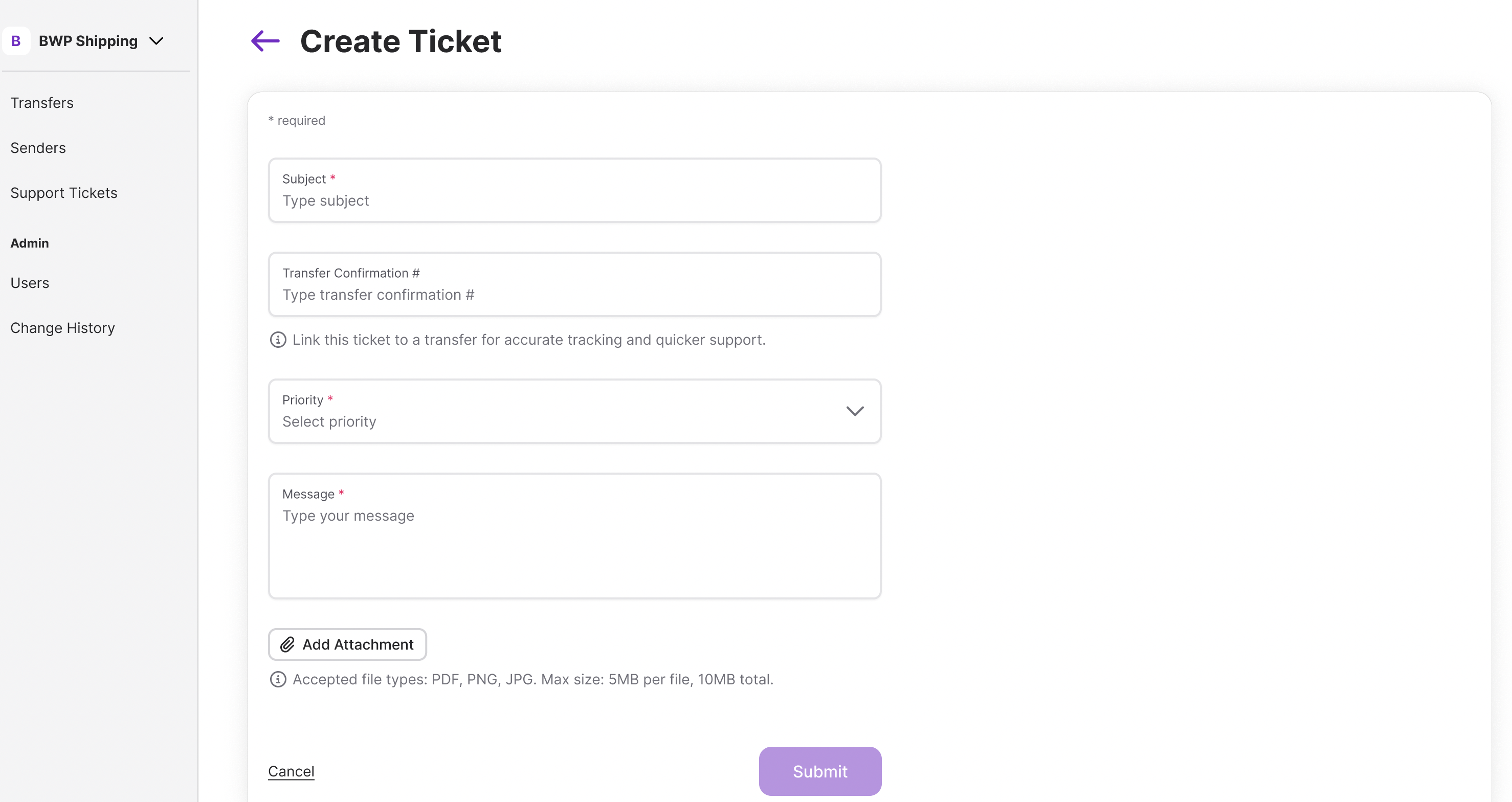
Create Support Tickets
Support tickets can be created in the Admin Portal when you need PayMitto help or need to escalate an issue.
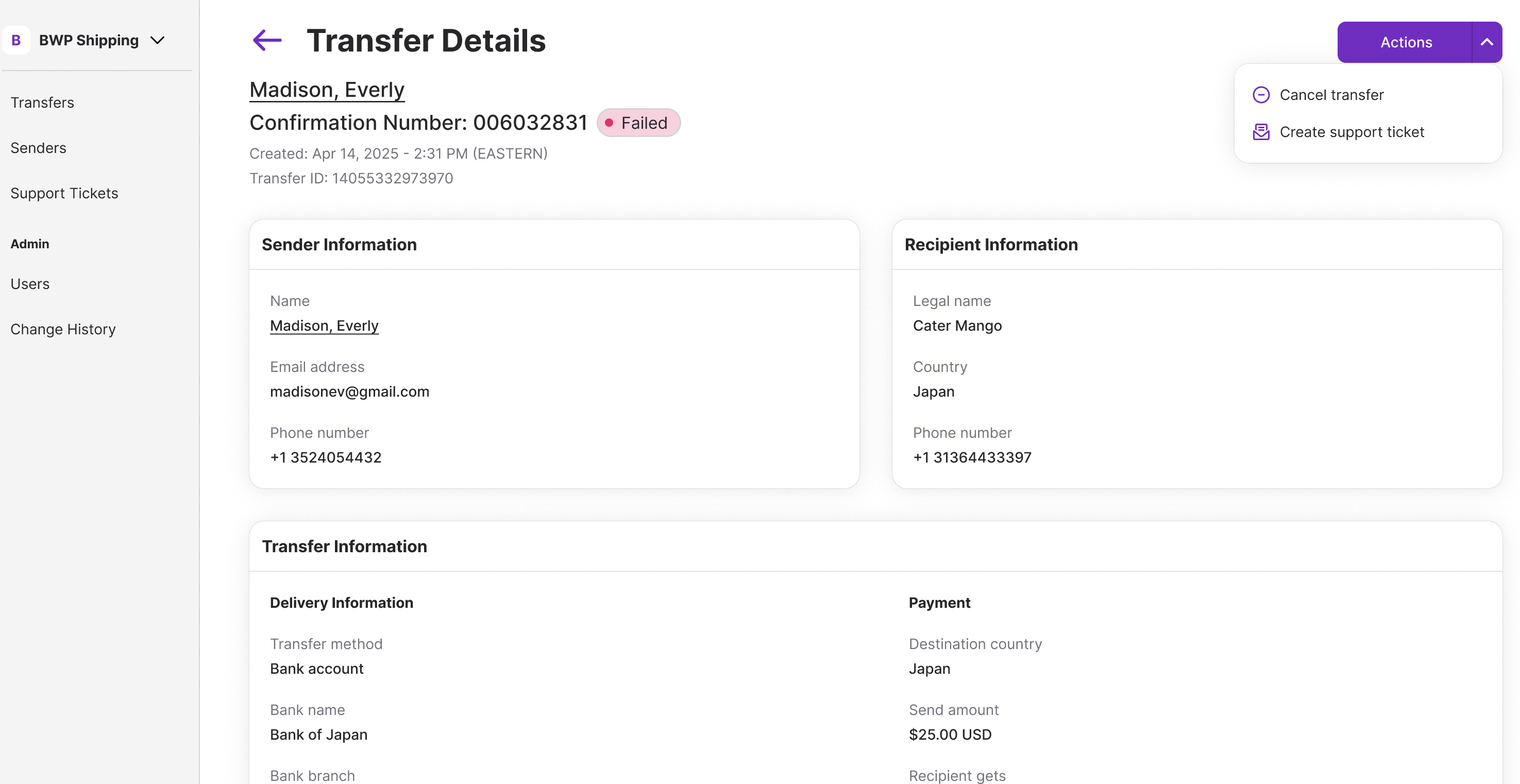
When creating a ticket:
- Choose the correct Ticket Type (see Ticket Types and Dispute above)
- Link the ticket to the specific transfer using the PayMitto transfer confirmation number whenever the issue is about a transfer
- Set priority
- Add attachments or screenshots if needed
Accepted file types: PDF, PNG, JPG. Max size: 5MB per file, 10MB total.
NOTE: View and create support tickets are available to users with an admin or support role.
Support Ticket Statuses
| Status | Description |
|---|---|
| Submitted | Indicates your ticket has been received and is waiting to be assigned to a support agent. |
| In Review | Indicates a support agent is actively reviewing and working on your ticket. |
| Awaiting Your Response | PayMitto is waiting for more information from you or your team, often on an RFI. Reply on the ticket. When a reply is received, the ticket automatically reopens. See Responding to RFIs. |
| On Hold | Indicates your ticket is temporarily on hold, typically while we await a third-party response. We will follow up as soon as possible. |
| Resolved | Indicates a support agent has provided a resolution. You can still reply if additional assistance is needed. |
| Closed | Indicates the ticket is closed and can't be reopened. For additional support, you will need to create a new ticket. |
Updated 11 days ago